mydiagnostics

FOR USED IPHONE RETAILERS AND REPAIR SHOPS

Testing software
for used iPhones.

Check an iPhone before buying it, verify a repair and prepare it for resale. Battery data, available parts information, functional tests and a report in one workflow.

No Apple ID sign-inMac and Windows
10 free tests every month. No payment card or plan selection required. A paid plan is offered only after you use the free allowance.MyRepair reviews on Trustpilot4.5/5TrustpilotRead reviews
● ● ●workspace.mydiagnostics.app
Diagnostic stationMyDiagnostics / USB
3Connected devices
Multiple devices. One station.
Animated preview of the actual interface · sample data · accelerated workflow
ONE WORKFLOW. THREE KEY MOMENTS.

From trade-in to its next owner.

For used iPhone retailers, trade-in businesses and repair shops. A consistent check for every device, with results you can return to.

Before buying

Check the battery, available replacement-part information and phone functions before setting a purchase price. Use the results to decide what to accept and what needs a repair.

Evidence for your purchase price

After a repair

Test the repaired function and related components with your own template. Save the results against that phone and document your check before handing it back.

A check before handover

Before resale

Standardise the final check, assign a grade and prepare a diagnostic report or label. Give your customer specific results to support the device condition.

A report for your customer
INSTALL THE APP WITHOUT THE APP STORE

The app on the iPhone.
No Apple ID sign-in.

The agent on your Mac or Windows computer installs MyDiagnostics directly on a supported iPhone over USB. You do not need to sign in with your own Apple ID on the phone or search the App Store.

Getting started guide
MyDiagnostics / USBWORKFLOW
  1. Connect and check status01
  2. Activate device02
  3. Skip initial setup03
  4. Install MyDiagnostics via USB04
  5. Home Screen ready for testing05
READY FOR DIAGNOSTICS

Example workflow · depends on the compatible device status

In factory settings

Still on the setup screen? On supported devices, the agent can continue with activation and initial setup, install the app and prepare the phone for testing without signing in to an Apple ID.

Already activated

On a phone that is ready at the home screen, the agent proceeds directly to USB app installation. No factory reset or App Store sign-in is needed.

Signed in to iCloud

You can install diagnostics on a configured phone with an active iCloud account. Installation does not require signing the owner out, entering their Apple ID or erasing their data.

Preparation and test availability depend on the model and system version. iOS may require unlocking and confirmation of trust. Any Activation Lock must be resolved by the owner. Open the app on the phone; interactive tests require an operator.

STRAIGHTFORWARD PRICING

Small repair shop. Busy operation.
Your plan.

10 free tests every month. No payment card or plan selection required. A paid plan is offered only after you use the free allowance.

Annual offer · save 40%

Try it out

10

tests / month

Free
 
Start for free

Stations1

Users included1

All features included

Unlimited history

No personal technical support

For occasional testing

100

tests / month

16.08 €
/ month

0.16 € per test

Start for free

Stations1

Users included1

All features included

Unlimited history

Technical support included

For growing teams

1 000

tests / month

94.39 €
/ month

0.09 € per test

Start for free

Stations5

Users included5

All features included

Unlimited history

Technical support included

Included in every plan
Unlimited historyAPIBattery health and cyclesParts authenticityBulk actionsLabel creationExports and reportsCustom test templates

Need a little more?

+ 1 station4.08 €
+ 100 tests12.37 €

Optional add-ons. Terms and billing period are confirmed when ordering.

All prices are in EUR excluding VAT. The annual discount applies to base paid plans; monthly allowances stay the same.

MYDIAGNOSTICS / iOS APP

Diagnostics right on your iPhone.

From device information through individual tests to results. Explore the app you work with directly on your phone.

Download on the App Store
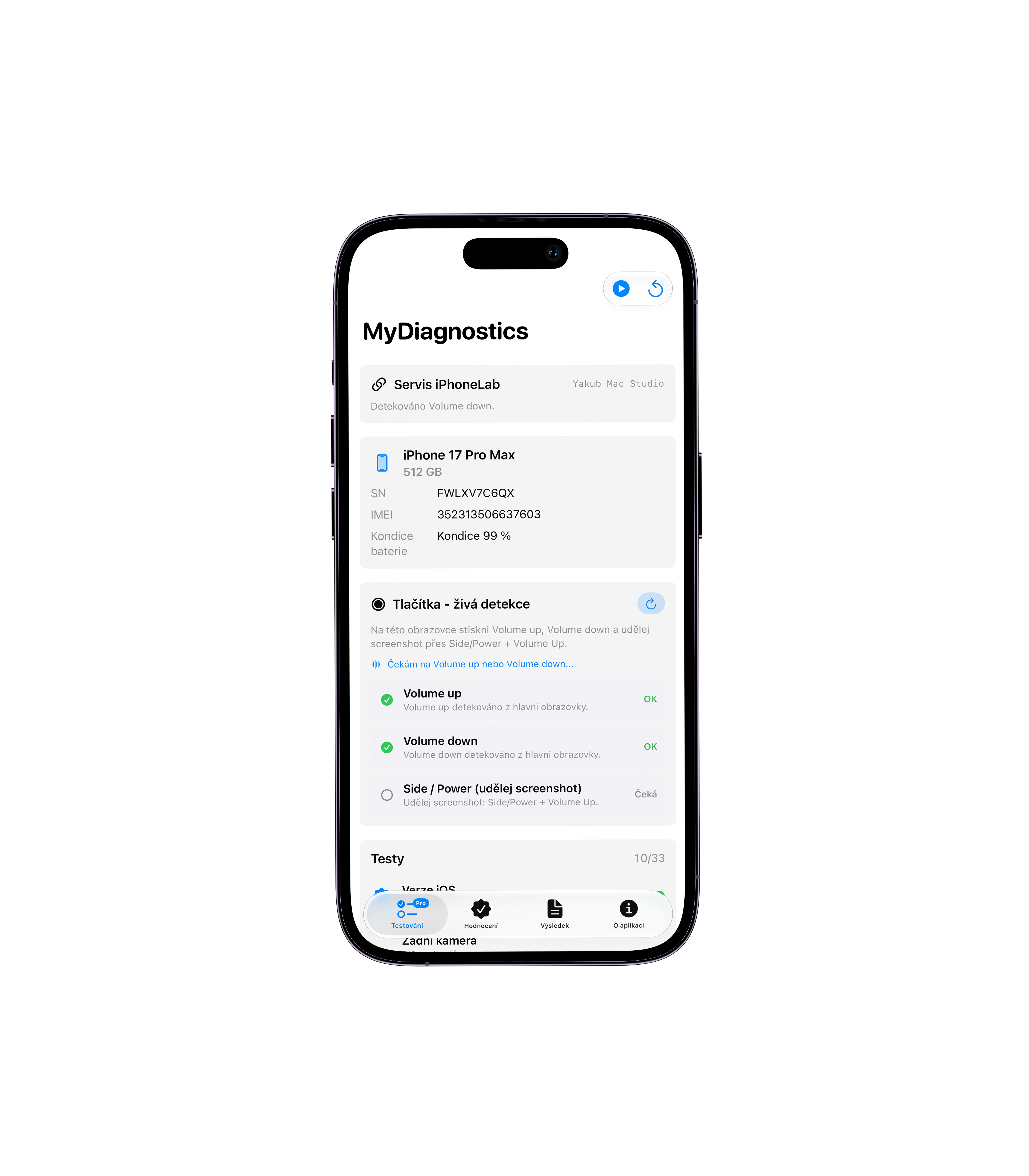
Device overview — Important device information in one place.

Device overview

Important device information in one place.

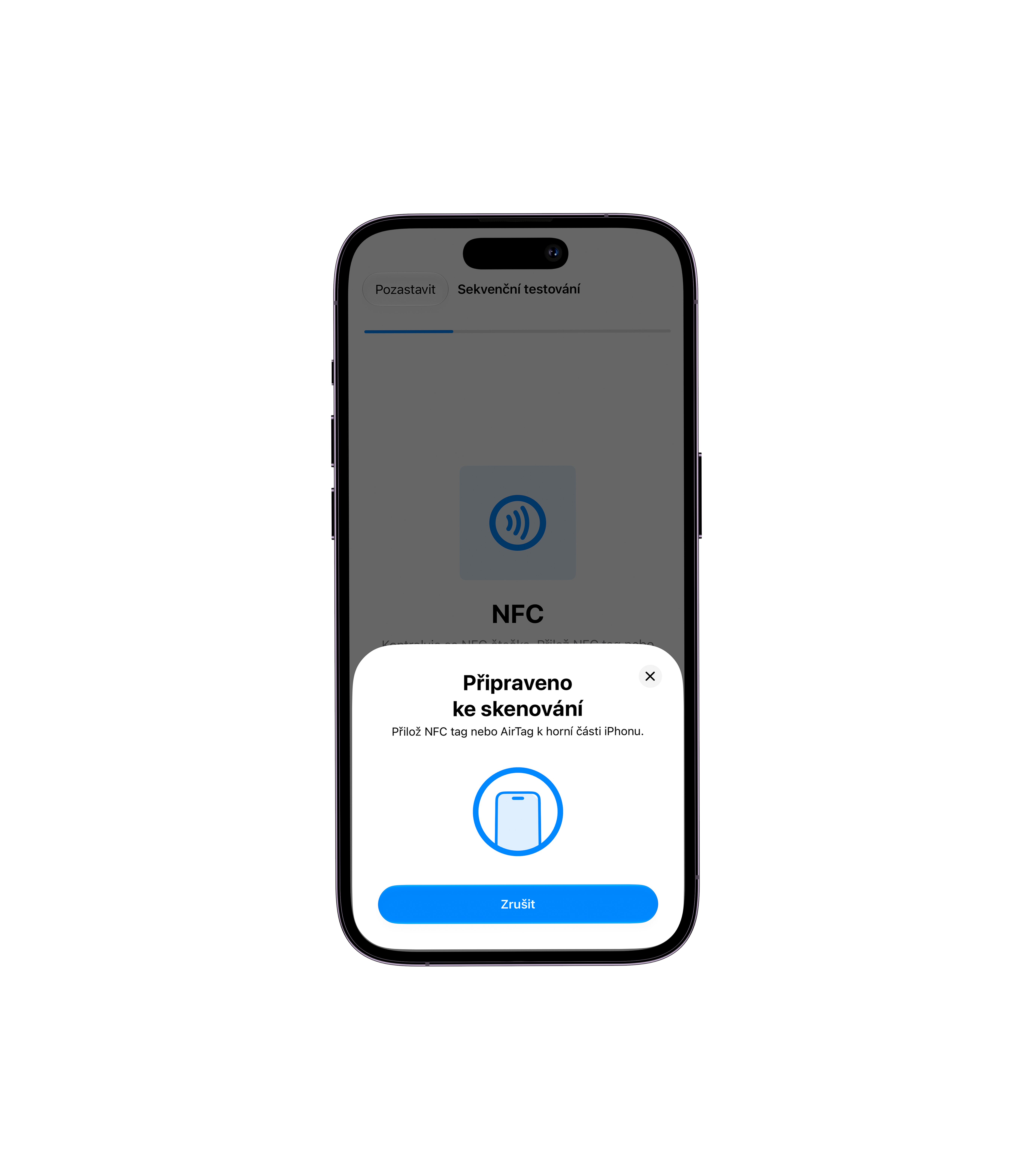
NFC testing — Scanning an NFC tag during diagnostics.

NFC testing

Scanning an NFC tag during diagnostics.

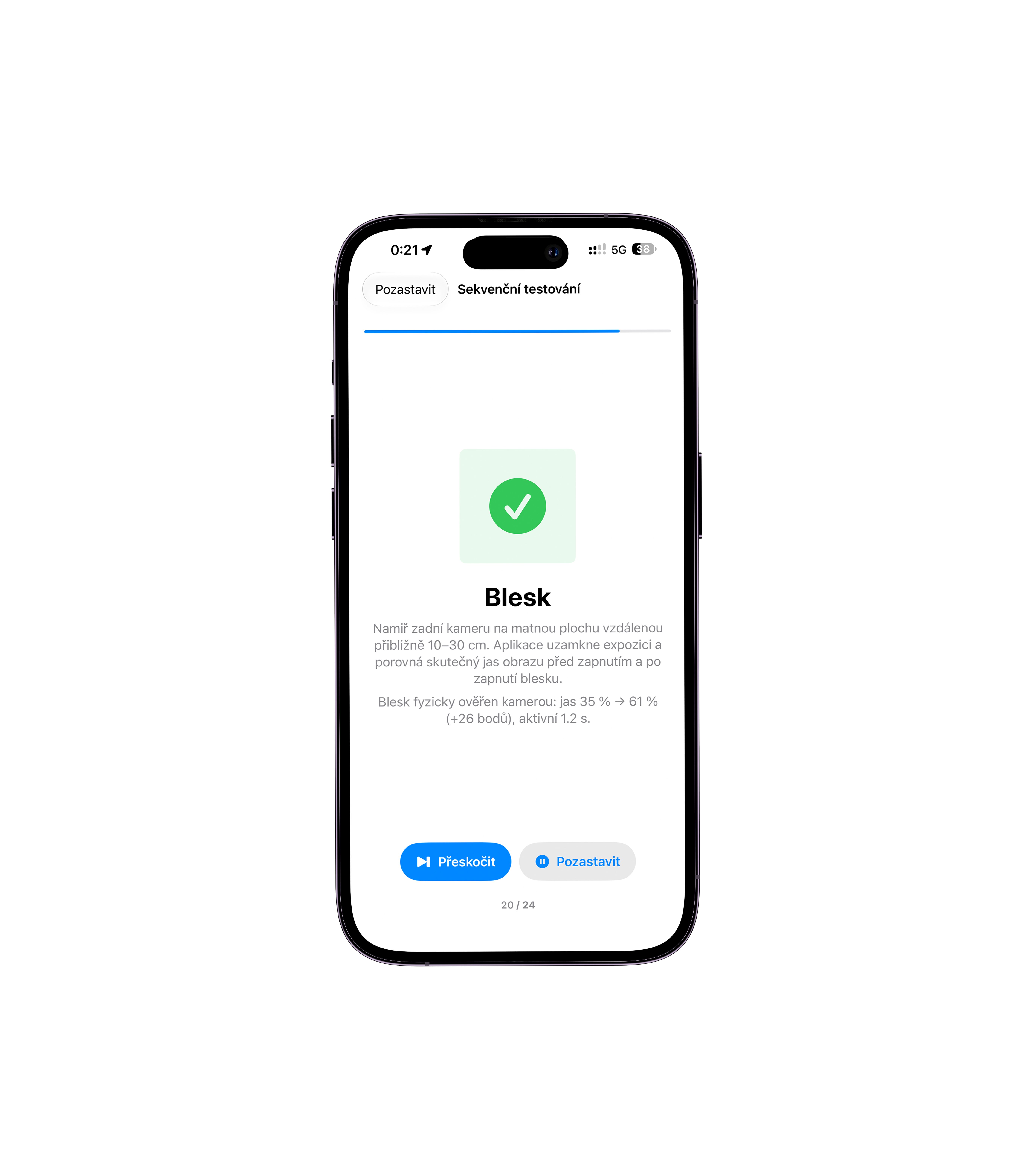
Flash verification — The flash test result and diagnostic progress.

Flash verification

The flash test result and diagnostic progress.

02 / MYDIAGNOSTICS
Device details

iPhone 18 Pro

IMEI 000000000000001 · SN DEMO18PRO

Connected / USB
100%Health
Battery

Battery health

Values from the latest device reading.

Charge 100 %
Temperature29,5 °C
Cycle count138
Voltage3 921 mV
Current−142 mA

Capacity and identification

Design capacity
3 046 mAh
Maximum capacity
2 950 mAh
Diagnostics complete
Animated device detail preview · sample data
BENEATH THE SURFACE

Take a closer
look at the details.

Health is the starting point. Cycle count, capacity and available parts information put each result in context.

Battery health, explained

Check battery health and cycle count. Available battery readings help you decide what to do next.

Every part has a history

Check available information about genuine parts and recorded replacements.

Battery and parts authenticity
ONE STATION. THE WHOLE TEAM.

A repeatable workflow.
Every working day.

Custom templates, bulk actions and unlimited history. From one phone on a desk to multiple workstations across your company.

More devices. Fewer clicks.

Bulk actions and custom test templates keep your team's workflow consistent.

Results you can hand over

Create labels, exports and diagnostic reports for a clear device handover.

History without limits

Return to results and reports whenever you need them. Unlimited history is included in every plan.

Fits your systems

An API connects diagnostics to your workflows and other systems.

GOOD TO KNOW

Questions?
Clear answers.

Support
What is a station?

A station is a computer running the agent, which connects devices to your web workspace. Your plan's station allowance determines how many workstations you can use.

What does the free plan include?

10 tests per month, 1 station and all listed features, including unlimited history. A practical way to try diagnostics. Free includes public guides; personal technical support is included in paid plans.

How does annual billing work?

Pay for the base paid plan one year in advance with a 40% discount. Test allowances remain monthly.

Are all tests available on every device?

Availability depends on the model, system version, permissions and connection method. Data the device does not provide cannot confirm that it is fault-free.

Where can I find installation help?

The support centre covers Mac agent installation, station pairing, your first diagnostics and connection troubleshooting.


MYDIAGNOSTICS / macOS + WINDOWS

Agent for your computer

Choose the installer for your computer and connect it to your MyDiagnostics workspace.

macOS

macOS 12 Monterey+ · Intel · Apple Silicon

0.1.253 · .pkg · 242.7 MB
Download for Mac

Signed by myrepair s.r.o.

Installation guide →
MYDIAGNOSTICS / BY MYREPAIR

Less manual work.
More devices ready.

Start with 10 free tests every month. One station, all features and unlimited history.

Start for free
MYDIAGNOSTICS

Download agent

Open Microsoft Store and install MyDiagnostics.
macOS · Windows x64

Contact MyRepair